Hosting through Steam
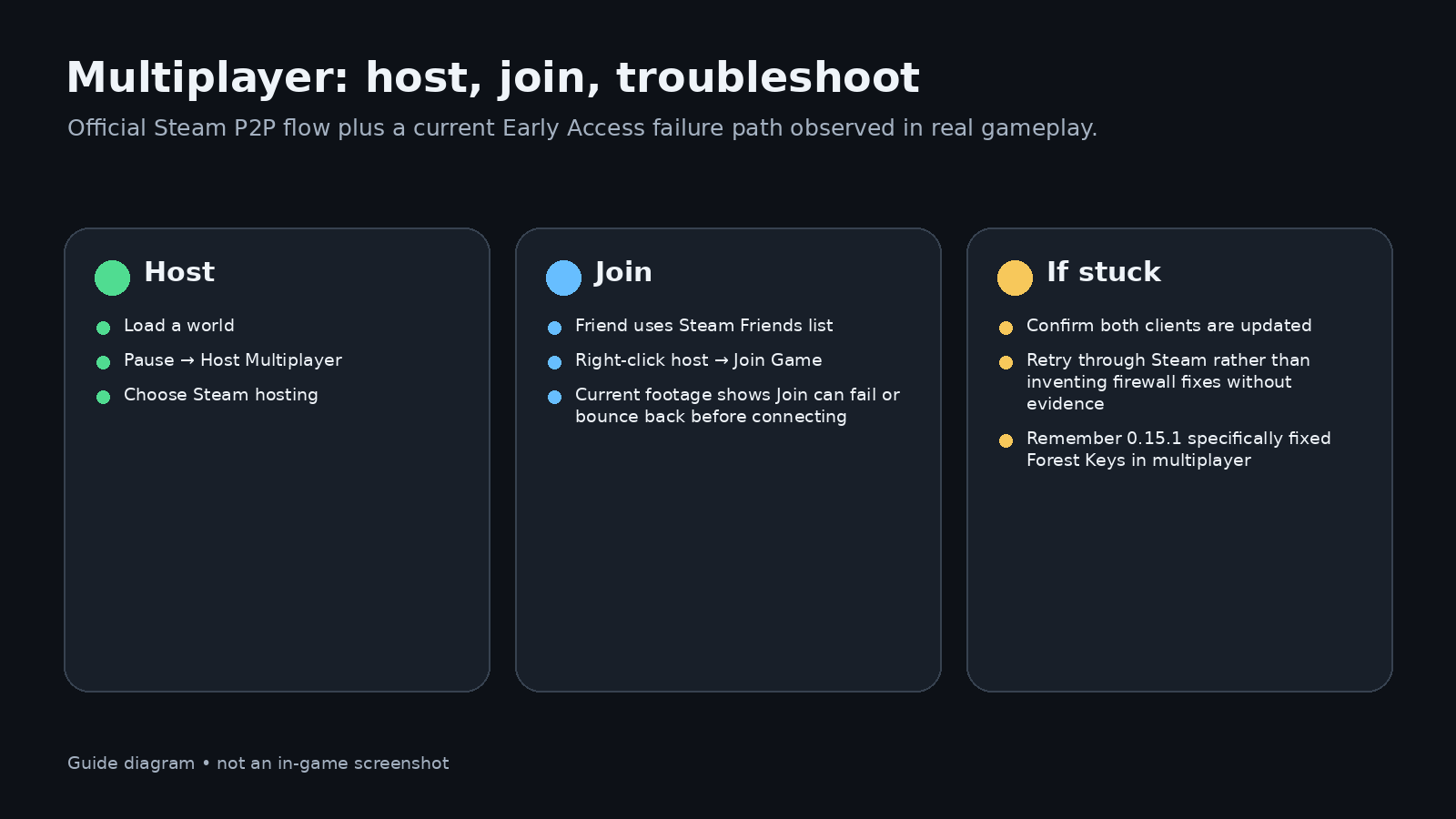
Allumeria’s multiplayer was introduced as Steam peer-to-peer. The developer’s Demo announcement gives a simple current architecture: the host loads a normal world first, then starts multiplayer from the pause menu. Friends join through Steam.
Dedicated servers were described as planned rather than available in that official multiplayer announcement. Check the latest patch notes before assuming that has changed.
What if Join Game bounces you back?
0.15.11 introduced a version/protocol check, and 0.15.12 fixed the Steam P2P handshake failing to run correctly. If Join Game does nothing or returns you to the menu, update both players before changing networking settings. Official patch notes.
Safe troubleshooting order:
- confirm both players are on the same current build — since 0.15.11 this is enforced, not just advised: the multiplayer handshake now carries a version check and joining a server on a different version or protocol kicks you back out. A “join fails” report is worth checking against patch numbers first;
- host only after the world is fully loaded;
- retry Steam Friends → Join Game;
- restart Steam and the game if the session does not appear;
- check current patch notes for a known multiplayer regression.
0.15.1 progression fix
The first Early Access patch fixed Forest Keys not working properly in multiplayer. If co-op players were blocked by Forest Dungeon progression, update before trying workaround routes.
Cheats in co-op
Official 0.15 notes say multiplayer cheats are enabled with /cheats. Keep cheat-based troubleshooting separate from normal survival progression so you do not accidentally invalidate what you are testing.
Further reading
- Official multiplayer announcement: https://steamcommunity.com/app/3516590/allnews/
- Official 0.15 notes: https://steamcommunity.com/app/3516590/
- Official 0.15.1 notes: https://steamdb.info/patchnotes/25012535/ supplied for “ALLUMERIA TIME LETS GOOOOO” — connection sequence around 00:00–03:01.